A meeting can end with everyone feeling clear about the conversation, yet leave different people remembering different commitments. One person expects a revised document. Another thinks the team is waiting for approval. The notes need to resolve that gap.
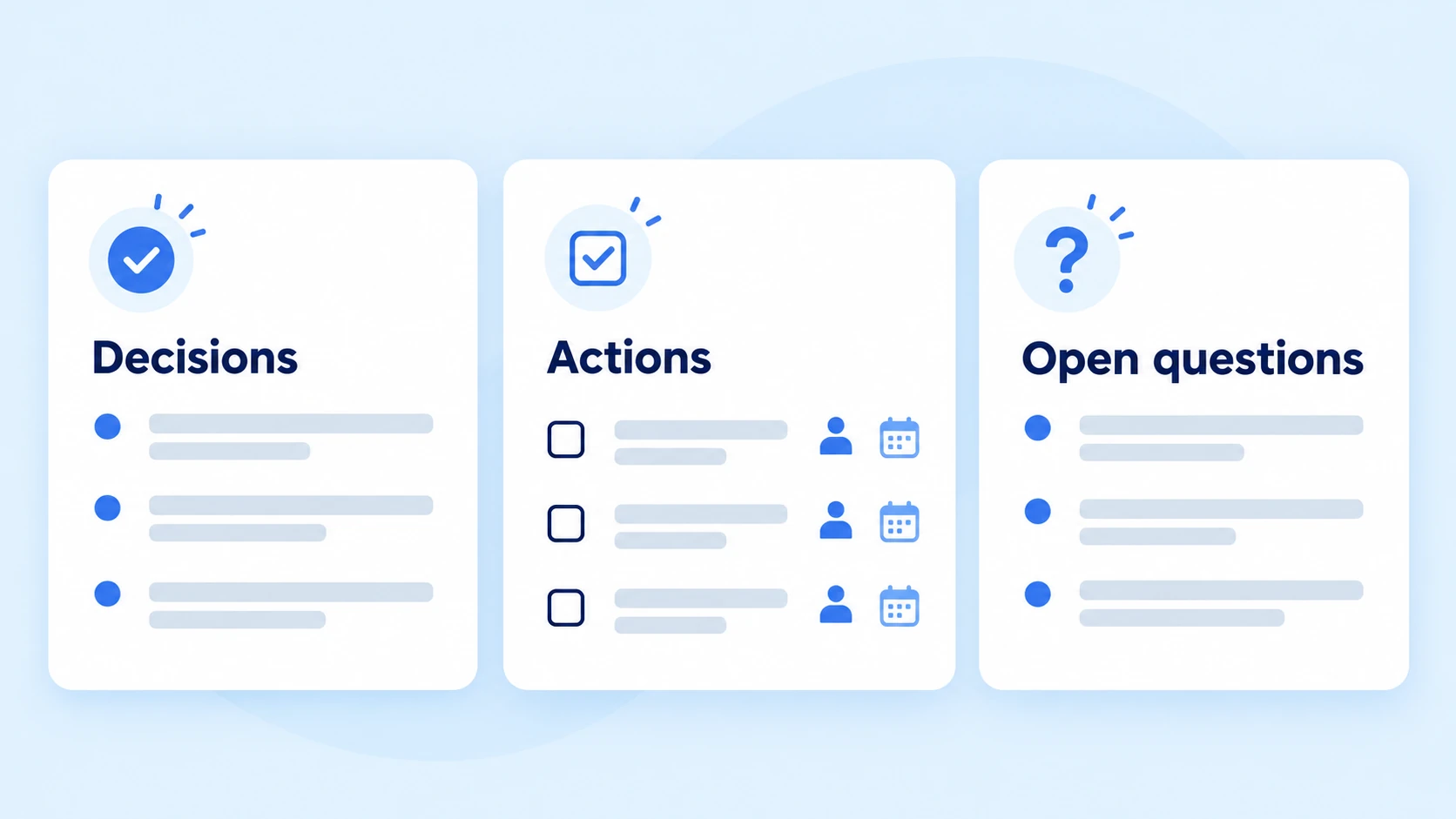
Organise meeting notes around the outcomes people will need later: the context behind a discussion, the agreement reached, the work assigned and anything still awaiting an answer. Keep those parts distinct so a reader can find the next step without reconstructing the conversation.
This guide introduces a reusable structure, shows how to complete it during a meeting and explains how to turn rough notes into a useful follow-up record. The worked example is fictional and demonstrates the method rather than claiming a measured productivity benefit.
Start with the Reader’s Next Question
Imagine opening your notes a week after the meeting. What would you need to know?
You would probably look for the outcome first, then check your responsibilities and any information needed to complete them. A long chronological account may contain those details, but finding them can take unnecessary effort.
Build the record around four reader questions:
- What problem was the group trying to resolve?
- Which outcome did participants agree on?
- What work remains, and who accepted it?
- What information could change the next step?
Use these questions to decide what deserves space in the notes. Background matters when it explains an agreement or constraint. Repeated comments rarely need separate entries.
Give the Record a Recognisable Identity
Before capturing the discussion, add a descriptive name, the meeting date and a short explanation of its purpose.
For example, Workshop planning – venue and registration review – 12 October 2026 tells a future reader more than Team meeting.
List the people present when attendance helps interpret the record. You can also identify who prepared the notes, particularly when participants may need to request a correction.
For recurring meetings, distinguish carried-over work from new assignments. A task that has remained unfinished for three sessions should retain its history rather than appear newly created each time.
A Meeting Notes Template You Can Reuse
The template below separates background from commitments. Adapt it to the meeting rather than filling every field mechanically.
RECORD NAME:
WHEN THE MEETING TOOK PLACE:
WHAT THIS SESSION NEEDED TO RESOLVE:
PEOPLE PRESENT:
PREPARED BY:

TOPIC RECORD
Subject:
Relevant background:
Options considered:
Outcome agreed:
Conditions attached to that outcome:

FOLLOW-UP WORK
Deliverable:
Person who accepted responsibility:
Agreed completion date:
Dependency or missing information:
Current progress:

UNRESOLVED ITEMS
What still needs clarification:
Who will obtain the answer:
When the group will revisit it:

NEXT CHECK-IN
Date or event that triggers the review:
What participants should bring:
Repeat the topic record when the agenda contains several subjects. Collect follow-up work in one place so readers do not have to search every topic for assignments.
A completion date can remain unconfirmed. Recording that uncertainty is preferable to making the document look complete by adding a date nobody agreed to.
Organise the Conversation as It Happens
Prepare a Place for Each Agenda Topic
If an agenda is available, use its subjects as headings before the call begins. Leave room below each heading for the outcome and any resulting work.
Without an agenda, begin with the meeting’s purpose and add topics as they emerge. You can reorganise the rough entries afterwards.
For an event-planning discussion, the subjects might be venue capacity, registration information and speaker arrangements. These headings remain useful even if participants move between them several times.
Capture the Reason Behind an Important Choice
A decision can be difficult to apply later when its limits are missing.
Suppose the group chooses a smaller venue because registrations are currently low. Record that reason if a rise in registrations could trigger another review.
You do not need to preserve every argument. Keep the facts that explain why the outcome was appropriate and the conditions under which it might need reconsideration.
Avoid adding your own interpretation as though the group endorsed it. When the reasoning is uncertain, ask for clarification or identify it as your understanding.
Mark Proposals Until They Become Agreements
Discussion often contains possible solutions, preferences and actual commitments. They should not all receive the same treatment.
A participant may suggest opening registration on Monday. That becomes an agreed plan only when the group confirms it.
During the meeting, use a temporary label such as proposal – awaiting confirmation. Move the entry into the agreed-outcome section once its status is clear.
Before the topic closes, a short recap helps: My notes say registration will open after the venue confirms capacity. Is that accurate?
Record Assignments in Terms of Their Deliverable
The person taking notes should be able to recognise when a task is finished.
Compare handle registration with prepare the registration page and send its preview for review. The second describes a deliverable another person can inspect.
When several people contribute, identify who is responsible for returning the result to the group. Supporting contributors can be listed separately.
Do not assign a task merely because someone raised the issue. Confirm that they accepted it, or leave the assignment visibly unresolved.
Keep Missing Information Easy to Find
Unanswered questions deserve their own space.
For example, the venue may not yet have confirmed whether its quoted price includes equipment. That uncertainty could affect the budget, so it should remain visible until resolved.
Record what information is missing, who will request it and when the answer is needed. If nobody has accepted that responsibility, make that gap explicit.
An unresolved item may prevent a decision or simply require later attention. Note the difference so readers understand its effect.
Worked Example: Planning a Small Workshop
The following scenario is fictional. It illustrates how to record a discussion without presenting tentative plans as completed decisions.
Record name: Writing workshop – registration readiness
Meeting date: 12 October 2026
Purpose: Identify what must be confirmed before registration opens
People present: Nisha, Omar and Leena
Prepared by: Leena
Venue Capacity
Background: The team has received a venue quotation, but the room’s seating arrangement has not been confirmed.
Outcome: Prepare registration materials using a provisional attendance limit of 25. Do not open registration until the venue confirms that capacity.
Condition: Revisit the limit if the confirmed layout accommodates fewer participants.
Registration Information
Background: The draft invitation contains the workshop date and topic but lacks arrival instructions.
Outcome: Add travel information and a contact method before circulating the invitation.
Follow-Up Work
| Deliverable | Responsible person | Agreed date | Current progress |
|---|---|---|---|
| Obtain written confirmation of seating capacity | Omar | 14 October | Awaiting venue reply |
| Prepare a registration-page preview | Nisha | 15 October | Not started |
| Add arrival instructions to the invitation | Leena | 15 October | Draft in progress |
Unresolved Item
Does the venue quotation include presentation equipment? Omar will request clarification alongside the capacity confirmation.
Next Check-In
Review the venue response and registration preview on 16 October. Confirm whether registration can open after reviewing both.
Notice that the notes do not promise a registration launch date. They identify the condition that must be satisfied first.
Make the Follow-Up List Usable
Assignments often lose clarity after the meeting because their progress is recorded separately from the original commitment.
Keep the task description, responsible person and progress together. Add a short completion note when the deliverable has been returned.
| Weak entry | More useful entry |
|---|---|
| Venue sorted | Venue confirmed 25 seats; written reply received |
| Invitation done | Revised invitation sent to Nisha for review |
| Waiting | Awaiting equipment information from the venue |
| Review needed | Omar to review the budget after the equipment quote arrives |
A progress label should explain what happens next. Awaiting venue reply is more informative than pending, especially when another person needs to follow up.
If the assignment changes, retain enough context to explain the change. Do not silently replace the original deadline when the group has agreed to postpone it.
Edit Rough Notes Before Circulating Them
Rough notes can contain abbreviations, incomplete thoughts and personal reminders. Review them before treating them as the shared record.
Check whether a reader who missed the meeting would understand each entry. Expand shorthand, connect a pronoun to the correct person and remove fragments that no longer make sense.
Then verify the important details:
- Did the group approve the outcome, or only discuss it?
- Did the named person accept the assignment?
- Was the completion date agreed?
- Does a condition need to remain attached?
- Can readers reach the document or resource linked in the notes?
When participants correct a factual detail, update the agreed record and make the revised copy identifiable. Avoid circulating several attachments with unclear names.
Working Notes and Formal Minutes Have Different Purposes
A practical meeting summary helps participants continue their work. Formal minutes may also need to satisfy an organisation’s governance or approval procedures.
Some meetings require records of motions, votes, attendance or formal approval. The requirements depend on the meeting and organisation.
Use this article’s template for an ordinary working record where appropriate. For a board meeting or another formal proceeding, follow the required process rather than assuming a general template is sufficient.
Prepare Your Notes in Quick Tool Desk
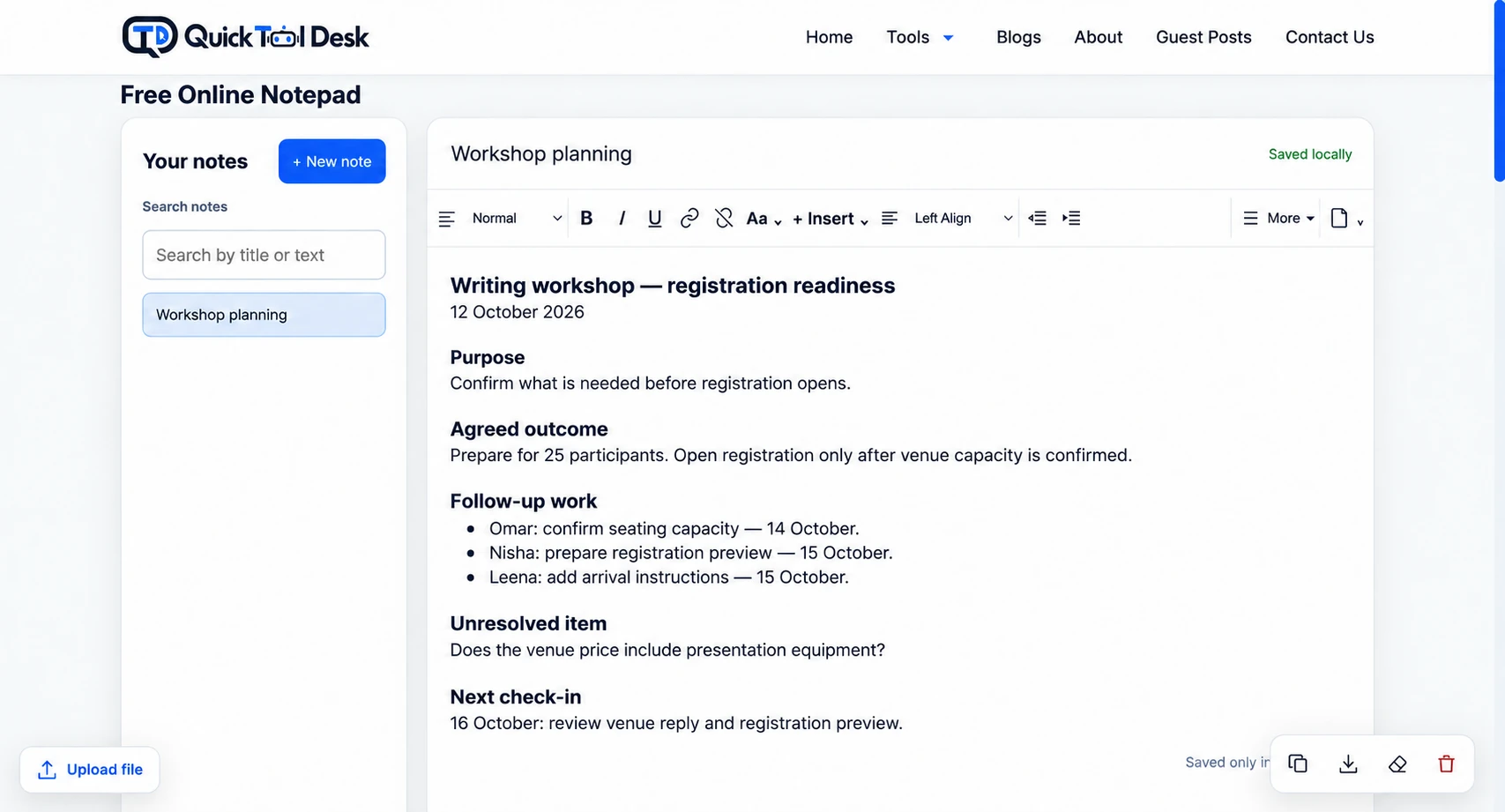
You can organise your meeting notes in Online Notepad by adding the template headings to a new note.
Use formatting to distinguish topics and create checklists for items you need to review. After editing, download the record in TXT or HTML format.
TXT suits a plain-text copy. HTML retains supported formatting for a more structured document.
Notes saved by Quick Tool Desk remain in the browser being used. That does not provide a shared workspace or a cloud backup. Download important records and store or share them through your usual approved system.
For confidential discussions, follow your organisation’s rules about which tools and storage locations may be used.
Before You Finish the Record
Use this final review to catch gaps:
- Can someone identify the meeting from the record name?
- Are agreed outcomes distinguishable from proposals?
- Does each deliverable have an accepted assignment?
- Are unconfirmed dates visibly marked?
- Is missing information linked to a follow-up step?
- Can participants recognise the current version?
- Has an important browser-saved note been exported?
Bring unfinished work into the next relevant discussion with its existing context. The purpose is to continue the record, not create a fresh list that hides earlier commitments.
Frequently Asked Questions
How should I organise meeting notes?
Use topic headings to capture relevant background, then keep agreed outcomes, follow-up work and unresolved items in distinct sections. Review the record from the perspective of someone who needs to act on it later.
What belongs in a meeting notes template?
Provide space to identify the session, explain its purpose, name the participants and record each topic’s outcome. Include follow-up assignments, missing information and the trigger for the next review.
How can I make meeting action items clearer?
Describe the deliverable someone must return, confirm who accepted responsibility and record the agreed completion date. Add dependencies when they affect progress. Mark an unresolved assignment or date instead of assuming one.
Can meeting notes replace formal minutes?
Only where the relevant procedures allow that format. Formal meetings may require specific records and approval steps. Check your organisation’s requirements before using a working summary as the official record.
Do I need to write down the entire conversation?
For an ordinary working summary, focus on the information needed to understand outcomes and continue the work. A transcript serves a different purpose and should be prepared separately when required.
Can I keep meeting notes in an online notepad?
An online notepad can help prepare and edit a meeting record. Quick Tool Desk offers formatting, checklists and TXT or HTML exports. Its browser saving does not provide cloud backup or collaborative access, so keep important records in an appropriate storage location.
Leave Readers with an Obvious Next Step
The most useful record lets participants distinguish what has been settled from what still needs attention.
Prepare the structure before the meeting, confirm commitments during the discussion and review the resulting document afterwards. You can open the free Online Notepad to build your next record using the template above.